


The most valuable AI skills for students in 2026 go beyond prompt engineering. Students need to understand when AI is reliable, when it’s wrong, how it learns, what it can create, and when using it actually gets in the way of learning. This matters because AI systems can produce convincing answers without guaranteeing accuracy, and can generate content that looks authentic even when it’s synthetic.
The UNESCO AI Competency Framework for Students emphasizes a progression from understanding to applying and creating with AI, while AI4K12’s framework highlights perception, learning, representation and reasoning, natural interaction, and societal impact. Codevidhya’s guide on why coding still matters in schools in the age of AI makes a related point, students who understand the fundamentals underneath a tool are the ones who can actually direct and evaluate it, not just use it. And as Codevidhya’s broader look at technology’s effect on young learners points out that exposure alone isn’t the goal; how it is structured determines whether it helps or hurts.
For schools, the goal isn’t simply teaching students how to use AI. It’s helping them develop the judgment and practical skills to work with, around, and sometimes without it. Here are the five AI skills students actually need in 2026.
Table of Contents
AI Verification
One of the most important AI skills is also the easiest to overlook: verification. Generative AI can produce an answer that sounds confident and authoritative while still containing factual errors, invented references, or outdated claims presented as current. These errors are often called AI hallucinations.
The problem is that an incorrect answer doesn’t necessarily look incorrect. A fabricated historical detail written in a polished paragraph is much harder to catch than a spelling mistake. Students need to develop a habit of asking “How do I know this is true?” rather than “Does this answer sound convincing?”
Common Sense Education’s AI literacy lesson collection includes a “How to SIFT with AI” lesson, teaching students to stop, investigate the source, find better coverage, and trace claims back to their origin, an AI-specific version of media literacy.
Building the Habit
Building this skill doesn’t require a long course. A simple exercise can help: take one AI-generated claim, ask yourself whether it sounds trustworthy, find a reliable source, and check what was accurate, inaccurate, or unsupported.
For example, in a history topic, an AI tool might generate three statements about an event. The task is to investigate each one and see which statements actually match reliable sources.
The goal isn’t to teach students to distrust AI. It’s to help them learn how to verify before they believe or use what AI tells them. Over time, this builds a simple habit: AI can give you a starting point, but evidence helps you know what to trust.
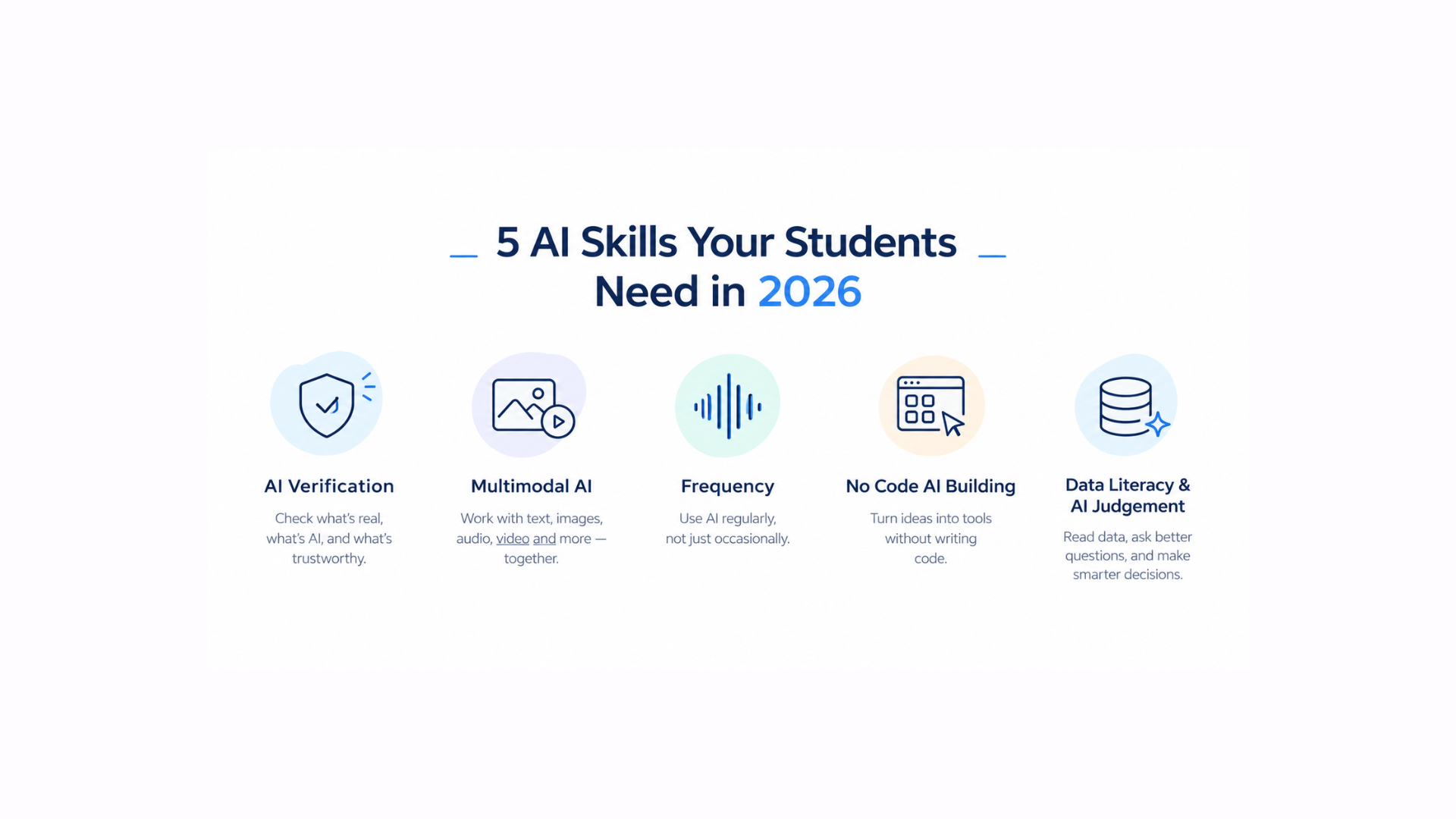
Multimodal AI Fluency
Multimodal AI Fluency, Not Just Text Prompts
When people talk about AI skills, they often think about chatbots, prompts, and generating text. But AI interactions are no longer limited to written conversations. Many AI tools can now work with and generate text, images, audio, video, diagrams, and presentations.
For students, multimodal AI fluency means understanding how to work with these different formats and knowing which one is most useful for a particular task. They might analyse an image, turn information into a visual explanation, create a presentation from their notes, or use an audio summary to review a topic.
The goal isn’t to teach students to generate more AI content. It is to help them make better choices about how information should be created, understood, and communicated.
For example, a science student could turn a complex process into a visual diagram, while a language student could compare an AI-generated audio conversation with its written transcript. The important question shifts from “What can AI create?” to “Which format will help me understand or communicate this best?”
Choosing the Right Starting Point
The right tool depends on a student’s age, school policy, and the learning objective. Younger students can start without direct access to generative AI at all, classifying images, exploring how computers recognize sounds, or discussing how an image can be altered. Older students can gradually work with approved tools under supervision.
UNESCO’s guidance on generative AI in education recommends a human-centred approach, flagging data privacy and age limits for independent conversations with generative AI platforms as real concerns schools need to plan around.
No-Code AI Building
There’s a real difference between using AI and building with it. A student who only uses a chatbot understands AI as something that gives answers. A student who builds a simple machine-learning model starts to see AI as a system that depends on examples, training, testing, and decisions about data.
Teachable Machine, a browser-based Google tool, lets students train models to recognize images, sounds, and poses without any coding. They gather examples, train a model, test it, and export the result, making the underlying ideas of machine learning tangible instead of theoretical.
What a First Project can Looks Like
A first project can be simple. A class building an image classifier for two categories of classroom objects would choose the categories, collect examples, train the model, test it on unseen examples, record what it got wrong, and retrain. The interesting part isn’t whether the model works perfectly, it’s why it fails. A model trained only under one lighting condition often struggles in a different one, giving students a concrete, hands-on introduction to training data, variation, and limitations.
Data Literacy
Students often talk about AI as though it “knows” things. A more accurate starting point is that AI systems learn patterns from data and use those patterns to generate outputs. AI4K12 describes machine learning as statistical inference that finds patterns in data, emphasizing training data’s role in how systems learn.
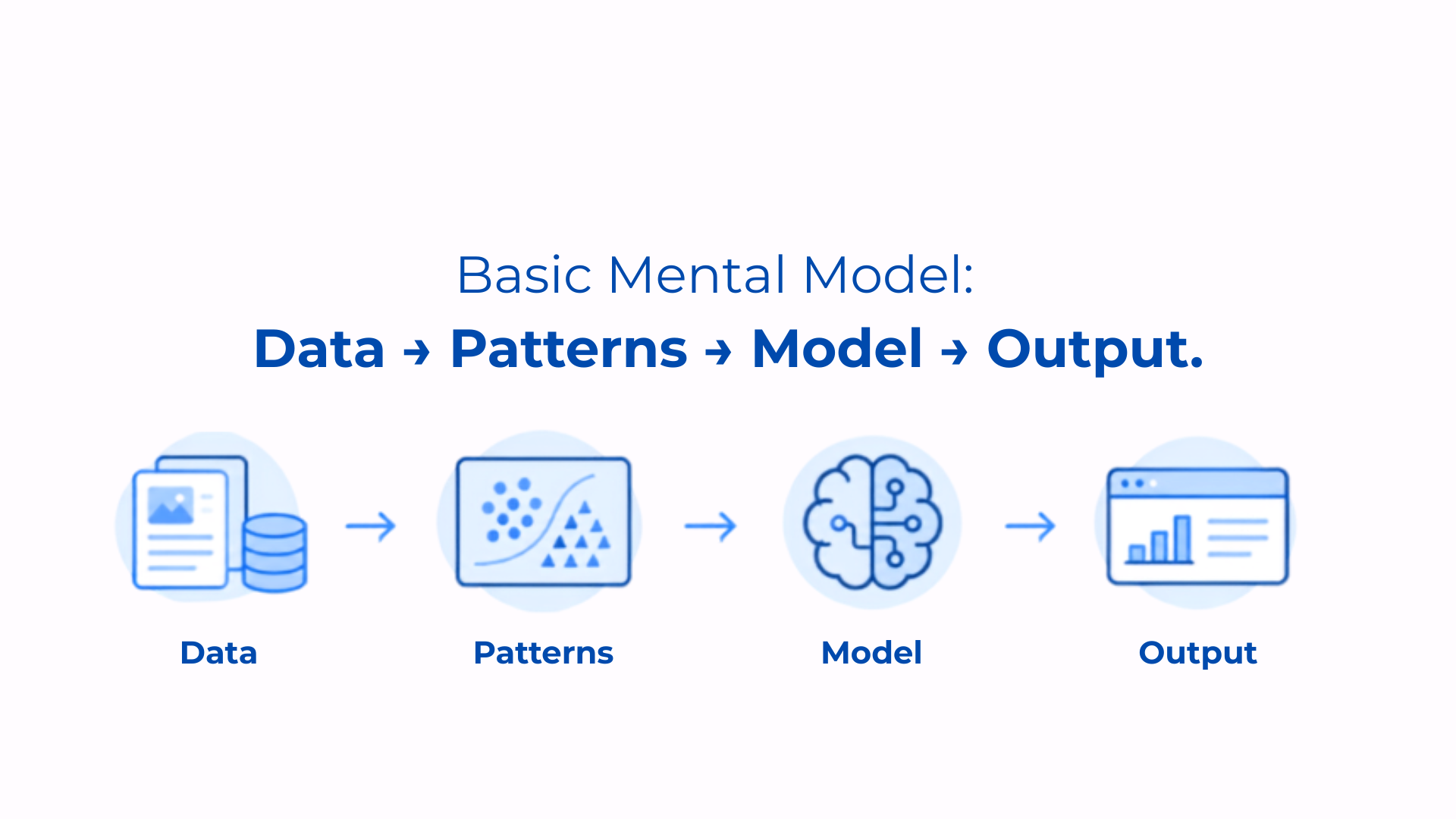
Students don’t need to understand neural-network mathematics, but they do need a basic mental model: data → patterns → model → output. That’s the foundation of data literacy. They should start asking what data a system might have learned from, who collected it, and what examples might be missing.
Why It Matters More Than It Sounds
If students train an image classifier using only pictures of red apples, the model may struggle when shown green apples. The problem isn’t that the computer is “stupid,” it’s that the training examples didn’t represent the full task. Common Sense Education’s “How Is AI Trained” lesson takes a similar hands-on approach, having students train a model and investigate how training data variety affects performance. The deeper lesson: data shapes systems.
AI Judgment
Perhaps the most underrated AI skill is knowing when not to use AI. This isn’t abstract ethics, it’s a practical decision-making skill. Students should be able to look at a task and ask: “Would using AI help me learn this, or would it remove the part I’m supposed to learn?”
If the goal is brainstorming, AI can help generate possibilities a student evaluates. If the goal is practicing a personal reflection, having AI write it defeats the purpose. Common Sense Education recommends schools make expectations specific about when AI is allowed, tied directly to what students are supposed to be learning.
Teaching Judgment Without Banning AI Outright
Instead of a simple allowed/banned rule, give students a decision framework: What am I supposed to learn? What part should I do myself? Could AI remove the thinking? Is AI allowed for this task? And if I use it, can I explain what I did? This makes AI use intentional rather than automatic, and it’s a skill that carries into workplaces where AI will be present regardless of any one classroom’s rules. As Codevidhya has noted in discussing AI literacy and the future of learning the goal isn’t avoiding AI, it’s making sure students stay the ones doing the thinking.
Conclusion
The AI skills students need in 2026 aren’t really about becoming better prompt writers. They need to know how to question an AI-generated claim, work across text, image, audio, and video, build simple AI systems rather than just consume outputs, understand how data shapes what AI can do, and most importantly, recognize when doing the work themselves is the better choice. The goal isn’t making every student an AI engineer, it’s making sure they can enter an AI-rich world without treating AI as magic, authority, or a substitute for their own thinking.
Frequently Asked Questions
- What are the most important AI skills for students in 2026?
Answer. Verification, multimodal fluency, no-code building, data literacy, and judgment about when not to use AI. Together they move students from operating AI tools to understanding, evaluating, and appropriately limiting them.
- Why should students learn to fact-check AI?
Answer. AI can produce confident-sounding but inaccurate information. Students need to verify important claims against reliable sources rather than trusting AI output by default.
- Can students learn machine learning without coding?
Answer. Yes. Tools like Teachable Machine let students train models using images, sounds, and poses with no coding required, giving hands-on exposure to core concepts.
- What is data literacy in AI?
Answer. Understanding how the quantity, quality, and variety of training data shapes what an AI system can and can’t do. It doesn’t require advanced math to start building this understanding.
- Should schools ban AI for students?
Answer. AI use should be age-appropriate, with clear rules for when and how students can use it, helping them understand what is appropriate rather than simply banning it.
- What age should students start learning about AI?
Answer. It varies by development stage. AI4K12 provides grade-band guidance from K-2 through 9-12, and UNESCO’s framework offers a broader progression from understanding to applying and creating.